As Xanga is nearing its end, more and more Xangans have taken on refugee status and switched over to WordPress. And many of them have found, as I did when I first signed on, that the WordPress platform is confusing as f*ck. It’s not user friendly in general, but you don’t know frustration until you’ve tried customizing a WordPress theme. Seriously, if you have a heart condition of some sort, avoid playing around with themes because you’re going to end up with a heart attack. And if you don’t have a heart condition–same advice applies because there is a 90% that you’re going to end up with some form of heart disease by the time you figure this sh*t out. No, I’m not a doctor, but I do take vitamins every day so, um, so there.
…Okay, so maybe my medical advice isn’t really medical anything, but the part about theme-customization on WordPress being really frustrating is totally based on personal experience.
My reason for diving headfirst into the empty pool that is WordPress Themes was actually somewhat practical: I wanted the design of this new site to look like my old Xanga blog as much as possible so that any Xangans who showed up would immediately go, “Oh, this is absolutangel64’s/Sylvia’s blog.” And I went in assuming that doing this was going to be just as easy on WordPress as it was on Xanga.
But it didn’t take long for me to realize I was wrong…very, very wrong…like, having-Screech-from-Saved-By-the-Bell-sh*t-on-your-face-and-then-slap-you-with-his-dick-that’s-also-made-of-sh*t wrong. Naturally, I Paintified this sh*tty experience for you all to enjoy.
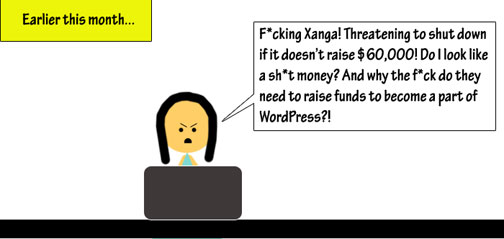

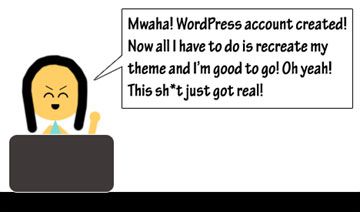

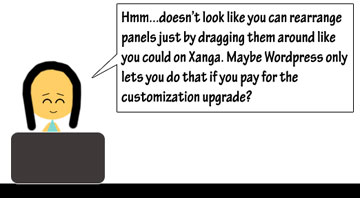
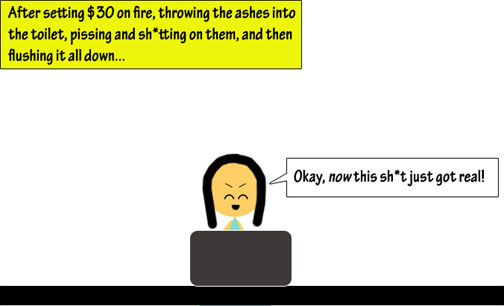



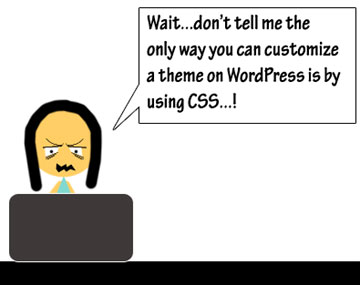


I’m sure my parents would be so proud of how I’ve put their efforts into teaching me how to read to good use…Sorry, mom and dad…
Anyway, I know it doesn’t look like it, but I’ve actually managed to figure out a few things about WordPress themes that I think might be somewhat helpful to any of you Xanga refugees who are just getting started on this platform. These tips aren’t going to be great, and I’m sure you’ll be able to find better help elsewhere. And when you do, please share it with the rest of us because we’re all in this together!
Until something better comes along, I’ve put together for you all a very basic tutorial on how to find a free WordPress theme that works for you. At the very least, this might help you avoid having to sift through the millions of themes that are available to choose from.
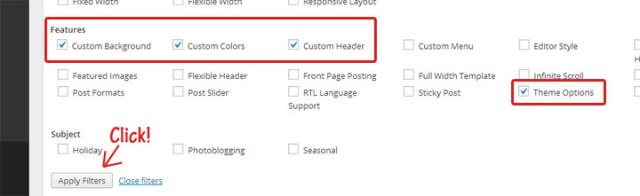
STEP 1: Go to Appearance –> Themes, and click on “Feature Filter”.

Step 2: Depending on what you want, click on the different elements you want in your theme. If you’re particular about sidebars, make sure to check “Theme Options” so that you’ll get those themes that give you some control over the placement of your panels.
Step 3: Pick a theme. If you’re not sure which one is best, click on “Live Preview” to see how your blog will look with that particular theme. I chose Twenty-Eleven.
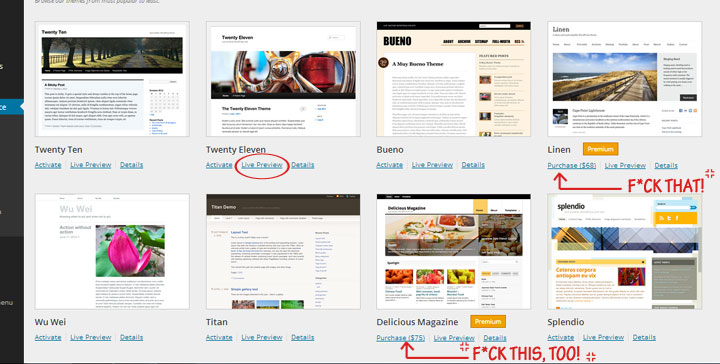
In the “Live Preview” window, you’ll see a panel on the right that has all the customization options available to you for that particular theme. The first one is “Custom Design,” which is an upgrade that you have to pay $30 a month to use. It’s not really necessary unless you’re CSS-savvy or are really hot for fonts.

Clicking on any of the other options will pull up windows that might look something like this:
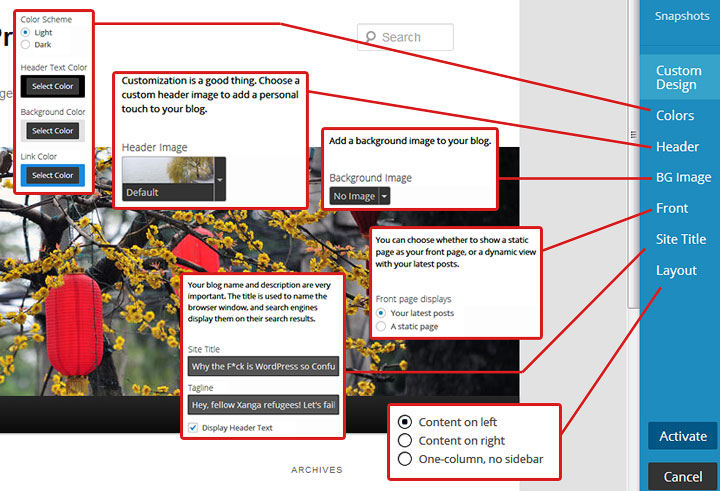
Step 4: Make your adjustments and then activate the theme. Here’s my sample, if you’re curious: http://absolutangel64wpwtf.wordpress.com/
That helped, didn’t it? At least a little?
 absolutangel64
Or, if you hate WordPress and don’t want to pay for it, you can import your Xanga archives and port them to Blogger – for free!
Here’s a link to my Xanga article:
http://candiedchristine.xanga.com/774302307/blogger—import-your-xanga-blog/
Here are the steps I took (because in my case, my blog is HUGE). Blogger doesn’t allow you to import large files, so you’ve gotta import “snippets”.
1. After you save your XML from the xanga archive, do the following.
2. Download WXR Splitter: http://www.rangerpretzel.com/content/view/20/1/
3. Run WXR Splitter. You want to split up your file into less than 1 MB files. (In my case, I have 21 files)
4. You now have to convert these files into a Blogger-recognizable format, so go here: http://wordpress2blogger.appspot.com/. Follow the instructions on the page, and save each converted file. Make sure to re-number them because the conversion will always rename to “blogger-export.xml”.
5. Now, log into your Blogger account and go to Settings > Import Blog (click on setting and then the import is right at the top).
6. Start importing each file, 1-by-1. UN CHECK “Automatically publish all imported posts”, or you will have bad results.
7. Once you have imported all of your posts, you can go back to each one and publish (if you so choose). I had a total of 1,465 imports…
I removed my friends lock so your users can see it.
It helps a bit. I figured some of that out, at least, but what REALLY bothers me is that you can’t change the damn text. I’m pretty picky about my font, and by that I mean that not having options makes me homicidal. Plus, before I knew that you had to pay to choose your own font I selected one, then wondered for about an hour why it didn’t actually show up when I looked at my public blog before I figured out that it was only in my preview unless I forked over a bunch of money. But now, whenever I go to look at new themes, it selects the font I had selected and I have to manually change it back to “Default Font” to see what the hell the theme is actually going to look like… *fumes*
Also, I can’t get the damn Twitter widget to function. I followed their instructions and it still just does not work.
oh i feel you.. took me a week to figure everything out.. and yet im still learning.. im really picky about my blog layout and design too.
Thankfully, I’ve already been using this site for my Food Blog so the switch over from Xanga wasn’t hard. I do understand the frustration though because I was also pissed about the font change price when I first started out.
Pingback: Some WordPress Help for Xanga Refugees by a Xanga Refugee | girlforgetful
I feel ya sister. I didn’t understand why the custom design stuff wasn’t showing up after I pushed save because they let you try it out and all that shit. I thought my computer froze or google chrome was just being stupid for not saving it because wordpress is sneaky about the whole paying thing not until I read the fine print! I swear I spent atleast 30 mins figuring that stupid shit out.
Another thing that confuses the shit out of me is the dashboard. It’s so cluttered! Ergh.
OMG! I hate the Dashboard so much! Why are there so many freakin’ buttons on it?! And why isn’t there a Dashboard link at the top of the page? There’s one for My Blogs, so there should be one for the Dashboard.
Hey, I read an update on the Xanga situation and it looks like it might pull through after all. If it does, are you going to go back? I’m not sure if I will, given how they clusterf*cked us over the way they did.
Sounds funny, but I just figured out last night the button where I can read my blog. Totally agree, just too many things to play around with on wordpress.
So now that xanga has reached the fundraiser goal, I’m still not going to go back. I didn’t contribute to the fund because I don’t want to pay annually when there’s other free blogging platforms. WordPress isn’t completely bad, I do like how my theme now is more simpler and loading photos is a whole lot easier, but I will miss the community for sure.
I am pissed with the way they kept on extending it and to learn that they even lowered the goal by 10K tells me this whole downfall of xanga could’ve been avoided altogether had they addressed faults and cracks years earlier! Well put Sylvia, they sure did clusterf*cked us!
I just figured out yesterday how to block creepers from accessing my site! I hate that wordpress doesn’t have that easy footprints tracking thing. xanga is for the technologically challenged, once they update it, it’s probably going to be just as difficult to use as wordpress.
hehe sylvia, I don’t know if wordpress is stretching out your drawings, but it looks like the cartoon you has a more receded hairline. It’s ok though, I’m ripping out my hair a little trying to fgiure out wordpress too lol
-joooolie
Joooolie! My fellow refugee! How are you doing? Yeah, this WordPress learning curve is really starting to get on my nerves too! Guess that shows how much the old place spoiled us, huh? (It’s been given Voldemort status so I’m not going to say it by name anymore…maybe…)
Oh, you’re right about the receding hairline! I totally didn’t notice that until you mentioned it! 😀 I was actually trying to make my stick figure self look down at her laptop screen so I placed the face lower. Epic fail on my part! Hahahaha!
haha I love it anyways, they’re still super hilarious!
receding hairline! hahahaha i just noticed that too!
This is awesome. Thanks!
Awesome art, awesome babe, awesome instruction.
Thanks Sylvie! I got past this part in the game, but it wasn’t until I beat the WIDGETS BOSS that I leveled up and gained new powers. Essentially widgets lets you have galleries, instagram links, background, music, etc. Look under dashboard>appearance>widgets to play around with them. I actually found them really cool!